
Setting up a smart home doesn’t have to be complicated or expensive. You don’t need to replace all your appliances, install complicated wiring, or hire a professional to get started. With a few compatible devices, a reliable Wi-Fi connection, and a smartphone, you can begin making your home more convenient, comfortable, and efficient.
Whether you live in an apartment, rent a house, or own your home, learning how to set up a smart home starts with understanding which devices you actually need and how they work together.
This beginner-friendly guide explains how to choose a smart home ecosystem, connect your devices, create useful automations, and expand your setup over time without wasting money.
What Is a Smart Home and How Does It Work?
A smart home uses internet-connected devices that you can control, monitor, or automate through a smartphone app, voice assistant, or compatible smart home hub.
Instead of manually switching everything on and off, you can use connected devices to manage lighting, temperature, security, entertainment, and other everyday household tasks.
For example, you could turn off compatible lights using a voice command, schedule a smart thermostat to adjust the temperature, or receive a notification when a smart security camera detects movement.
Most smart home systems include three basic components:
-
Smart devices: Connected products such as smart bulbs, plugs, thermostats, cameras, and door locks.
-
Control system: A smartphone app, voice assistant, or smart home hub that manages compatible devices.
-
Wireless connection: Wi-Fi, Bluetooth, Thread, or another supported communication technology that allows devices to connect.
Some devices communicate directly with your home Wi-Fi, while others use a hub or a separate wireless protocol.
The goal is to make everyday household activities easier through connected technology and automation.
What Do You Need to Set Up a Smart Home?
Before buying anything, understand the basic equipment required for a functional smart home.
You don’t need every available smart device. Start with products that solve everyday problems and work with your preferred ecosystem.
| Essential component | What it does | Example |
|---|---|---|
| Reliable Wi-Fi router | Connects compatible devices to your network | Dual-band Wi-Fi router |
| Smart home controller | Manages compatible connected devices | Smartphone app or smart speaker |
| Smart lighting | Controls lights remotely or automatically | Smart bulbs and switches |
| Smart plugs | Adds app-based control to compatible appliances | Wi-Fi smart plug |
| Smart sensors | Detects changes in the environment | Motion and door sensors |
| Smart security devices | Helps monitor your home | Cameras and video doorbells |
Do You Need a Smart Home Hub?
Not necessarily. Many beginners can start with Wi-Fi smart bulbs, plugs, and other devices that connect directly to a compatible app.
A smart home hub becomes useful when you want to connect devices that use technologies such as Zigbee or Thread, coordinate multiple devices, or run more advanced automations.
Some smart speakers and displays also include smart home hub functionality, but features vary by model.
Before purchasing a hub, check whether your chosen devices require one and whether the hub supports their communication protocols.
How to Set Up a Smart Home Step by Step
Step 1: Decide What You Want to Automate
Start by identifying the household tasks you want to make easier.
Think about your everyday routine rather than buying devices simply because they are popular.
Here are some practical starting points:
| Your goal | Devices to consider |
|---|---|
| Control lights remotely | Smart bulbs or smart switches |
| Turn appliances on and off | Compatible smart plugs |
| Adjust indoor temperature | Smart thermostat |
| Monitor entrances | Smart doorbell or security camera |
| Automate lighting | Motion and light sensors |
| Control entertainment | Compatible smart speakers and TVs |
For example, if you frequently forget to switch off lights, smart bulbs or switches may be a useful first purchase.
If your main concern is home monitoring, consider starting with a compatible video doorbell or security camera.
Practical tip: Write down two or three tasks you want to automate before shopping. This helps prevent unnecessary purchases.
Step 2: Choose a Smart Home Ecosystem
A smart home ecosystem is the platform that connects and manages your devices.
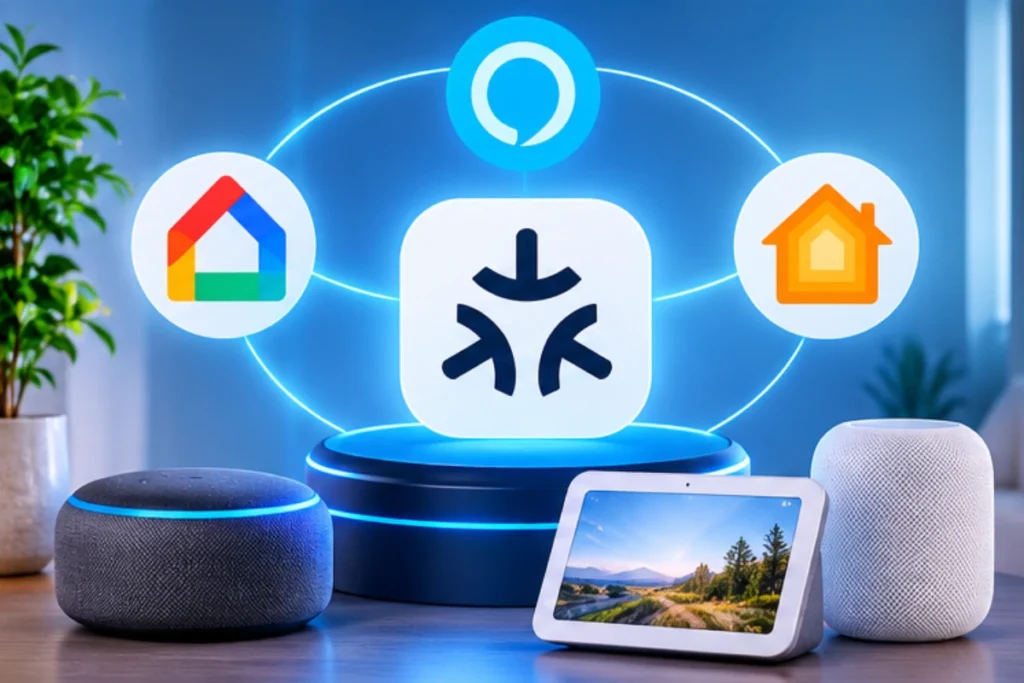
For beginners, three popular options are Amazon Alexa, Google Home, and Apple Home.
| Ecosystem | Best suited for | Main advantage |
|---|---|---|
| Amazon Alexa | Voice control and broad device compatibility | Large range of compatible smart home products |
| Google Home | Google services and voice-controlled routines | Integration with compatible Google devices |
| Apple Home | Apple device users | Integration with the Apple ecosystem |
Amazon Alexa: Alexa allows you to control compatible lights, plugs, thermostats, and other smart devices through voice commands and the Alexa app.
Google Home: Google Home lets you organize compatible devices, control them through the Google Home app, and create routines for everyday activities.
Apple Home: Apple Home provides a way to manage compatible smart accessories through Apple devices. Some advanced features and remote access require a compatible home hub.
Choose the ecosystem that fits the devices you already own and the way you prefer to control your home.
You don’t need to purchase every brand’s products. Prioritize compatibility with your selected platform.
Step 3: Check Device Compatibility Before Buying
Device compatibility is one of the most important parts of setting up a smart home.
A smart bulb may work with Alexa but not support every feature available through Apple Home or Google Home. Similarly, some products require a separate hub or specific wireless technology.
Before purchasing a device, check:
-
Whether it supports your preferred smart home ecosystem.
-
Whether it requires a separate hub.
-
Whether it works with your existing Wi-Fi network.
-
Whether it supports the features you want.
-
Whether it requires a subscription for certain services.
You should also understand the Matter standard.
What Is Matter?
Matter is a smart home connectivity standard designed to improve compatibility between products from different manufacturers and smart home platforms.
A Matter-compatible device can work with supported ecosystems, but compatibility still depends on the device, controller, network technology, and available features.
Look for the Matter logo when comparing products, and check the manufacturer’s compatibility information before buying.
Step 4: Prepare Your Home Wi-Fi Network
Your Wi-Fi network is an important part of a connected home.
Many smart home devices rely on Wi-Fi to communicate with apps and cloud services. A weak or unreliable connection can cause delayed responses, connection failures, or devices appearing offline.
Before installing your devices:
- Place your router in a central, unobstructed location when possible.
- Check whether your router supports the Wi-Fi bands required by your devices.
- Confirm whether a device requires a 2.4 GHz network.
- Create a strong, unique Wi-Fi password.
- Update your router’s firmware.
- Consider a guest or separate IoT network if your router supports it and you understand how device communication will be affected.
Many smart home products still require 2.4 GHz Wi-Fi, although newer products may support additional bands.
If your home has Wi-Fi dead zones, consider improving coverage with a compatible mesh Wi-Fi system or access point.
Important: Don’t assume every smart device supports the same network requirements. Check its setup instructions before connecting it.
Step 5: Install Your First Smart Devices
Once your ecosystem and network are ready, begin installing your devices.
Start with one or two products instead of connecting everything at once.
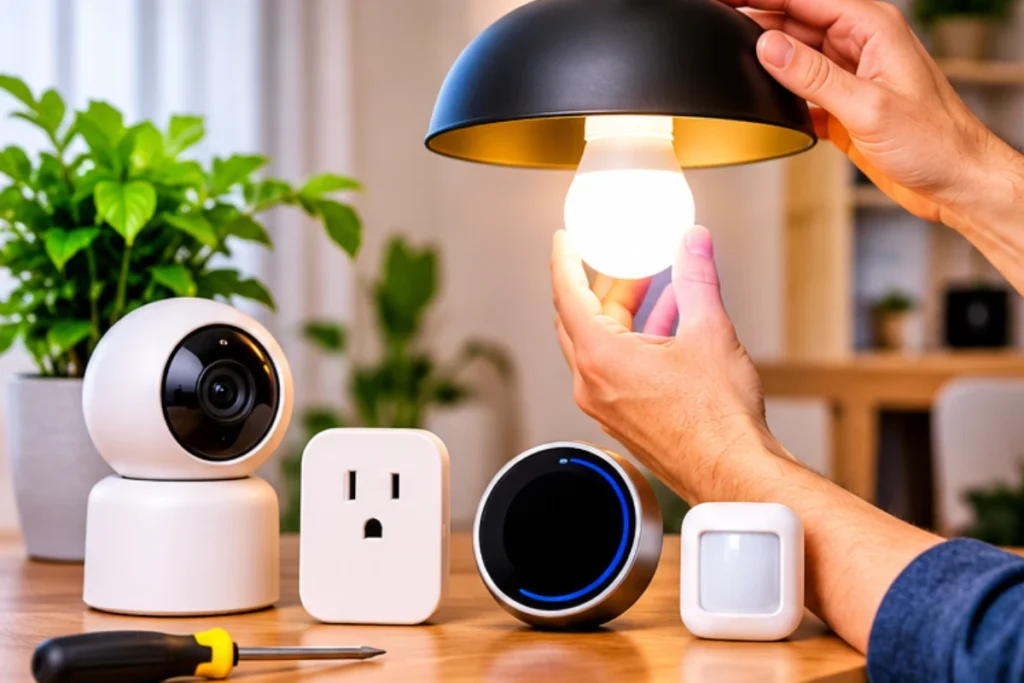
For smart bulbs:
-
Check that the bulb matches your fixture and voltage requirements.
-
Install it according to the manufacturer’s instructions.
-
Turn on the light switch.
-
Open the manufacturer’s app or supported smart home app.
-
Follow the pairing instructions.
-
Give the bulb a recognizable name, such as Living Room Light.
For smart plugs:
-
Check the plug’s voltage, current, and load ratings.
-
Plug it into a suitable electrical outlet.
-
Open the manufacturer’s app.
-
Follow the pairing instructions.
-
Connect a compatible appliance within the plug’s rated limits.
-
Test remote control and scheduling.
For smart cameras:
-
Choose a suitable location.
-
Check the manufacturer’s mounting and power instructions.
-
Connect the camera to the required network.
-
Complete setup in the companion app.
-
Configure motion notifications and privacy settings.
Always follow the manufacturer’s electrical and installation instructions. Avoid connecting high-power appliances to smart plugs unless the plug is specifically rated for that load.
Step 6: Connect Your Devices to One Control System
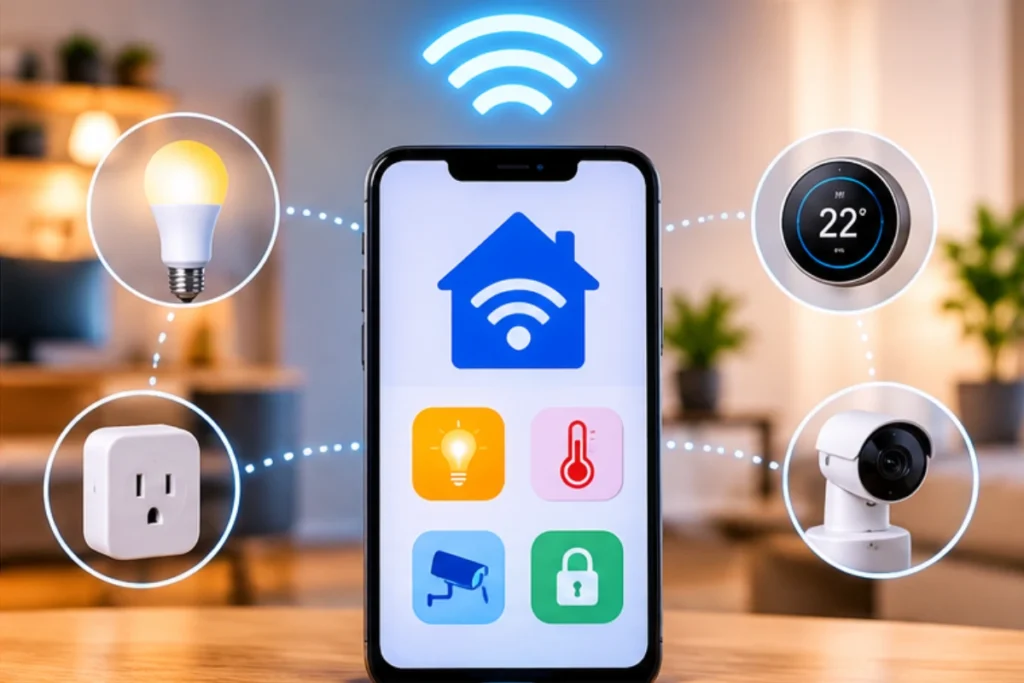
After installing individual products, connect them to your preferred smart home ecosystem wherever supported.
For example, you may add compatible devices to Amazon Alexa, Google Home, or Apple Home.
A typical process looks like this:
-
Open your chosen smart home app.
-
Sign in to your account.
-
Select the option to add or connect a device.
-
Choose the device category or manufacturer.
-
Follow the on-screen pairing instructions.
-
Assign the device to the correct room.
-
Test basic controls.
Organize devices by room, such as Kitchen, Bedroom, Living Room, and Entryway.
This makes it easier to control multiple products without searching through a long device list.
Step 7: Create Simple Smart Home Automations
Automation is where a smart home becomes especially useful.
Instead of controlling every device manually, you can create routines that perform actions automatically when certain conditions are met.
Here are some beginner-friendly examples:
| Automation | How it works |
|---|---|
| Morning routine | Turns on selected lights at a scheduled time |
| Bedtime routine | Turns off compatible lights and adjusts selected devices |
| Away routine | Turns off selected devices when you leave |
| Motion-based lighting | Turns on compatible lights when motion is detected |
| Evening routine | Adjusts compatible lighting to a preferred brightness |
For example, you could create a bedtime routine that switches off the living room lights and turns on a hallway light at a lower brightness.
To create an automation:
-
Open your smart home app.
-
Find the Routines or Automations section.
-
Choose a trigger, such as a schedule, voice command, or sensor event.
-
Select the devices you want to control.
-
Set the desired actions.
-
Save and test the automation.
Available triggers and features depend on your ecosystem and connected devices.
Start with one simple automation and make sure it works reliably before creating more complicated routines.
Step 8: Set Up Smart Home Security and Privacy
Connected devices can collect personal information, record video, or provide access to parts of your home. Security should be part of your setup from the beginning.
Follow these basic precautions:
-
Use strong, unique passwords for your smart home accounts.
-
Enable two-factor authentication whenever available.
-
Keep device apps and firmware updated.
-
Review app permissions and connected accounts.
-
Disable features you don’t need.
-
Use appropriate privacy settings for cameras and microphones.
-
Check how manufacturers store and process recorded information.
If you install indoor cameras, consider privacy in bedrooms, bathrooms, and other sensitive areas. Avoid placing cameras where they could unnecessarily record visitors or neighbors.
For smart locks, choose products with reliable physical access methods and understand what happens if the battery or internet connection fails.
A secure smart home is not just about connected technology. It is also about controlling who can access your devices and information.
How Much Does It Cost to Set Up a Smart Home?
The cost of setting up a smart home depends on the number of devices, the ecosystem you choose, and whether you already have compatible equipment.
You can start with a small setup and expand over time.
The following are illustrative US-dollar planning ranges, not live product prices.
| Setup level | What you might include | Estimated budget |
|---|---|---|
| Basic | A few smart bulbs and plugs | $50–$120 |
| Intermediate | Smart lighting, plugs, speaker, and sensors | $120–$300 |
| Advanced | Multiple rooms, cameras, smart locks, and additional equipment | $300–$700+ |
Your actual costs may be higher if you need a new router, professional installation, a compatible hub, or subscription-based services.
How to Build a Smart Home on a Budget
If you want to keep costs under control, follow these practical tips:
-
Start with devices that solve your biggest everyday problems.
-
Buy compatible products instead of mixing unnecessary ecosystems.
-
Compare the total cost, including hubs and subscriptions.
-
Check whether a device offers the features you actually need.
-
Expand one room at a time.
-
Avoid buying expensive equipment before testing a basic setup.
A few useful devices can make a noticeable difference without turning your home into a complicated technology project.
Common Smart Home Setup Mistakes to Avoid
Even a simple setup can become frustrating if you overlook compatibility, network requirements, or security.
Here are some common mistakes beginners should avoid.
1. Buying devices without checking compatibility
Not every smart device works with every ecosystem. Check supported platforms and required hubs before purchasing.
2. Connecting too many devices at once
Adding everything in one session can make troubleshooting difficult. Install and test devices gradually.
3. Ignoring Wi-Fi requirements
Some devices require a specific Wi-Fi band or stronger coverage. Check these requirements before installation.
4. Creating complicated automations too early
Start with simple schedules and routines. Add more advanced triggers after your basic setup works reliably.
5. Ignoring privacy and security
Weak passwords, outdated firmware, and unnecessary permissions can create security risks. Review these settings regularly.
6. Spending money on unnecessary products
A smart home should make everyday life easier. Choose devices based on real needs instead of buying every new gadget.
Smart Home Setup Tips for Beginners
If you are building your first connected home, these additional tips can help you avoid unnecessary complications.
-
Start with one room: Test your ecosystem in a bedroom or living room before expanding.
-
Choose a consistent platform: Use devices that work well together.
-
Name devices clearly: Use simple names that are easy to recognize and control.
-
Keep a device list: Record product names, apps, and setup details for future troubleshooting.
-
Check software updates: Keep your router, devices, and companion apps updated.
-
Plan for internet outages: Understand which features continue working locally and which depend on cloud access.
-
Review automations: Update routines when your schedule or household needs change.
Remember, the best smart home setup is not necessarily the one with the most devices. It is the one that reliably makes your daily routine more convenient.
Frequently Asked Questions About Setting Up a Smart Home
Can I set up a smart home without a hub?
Yes. Many smart home devices connect directly to your Wi-Fi network and can be controlled through a manufacturer’s app or a compatible smart home platform. However, certain Zigbee, Thread, and other devices may require a compatible hub or controller.
What is the easiest way to start a smart home?
Start with a compatible smart bulb or smart plug and connect it to your preferred ecosystem. Once you understand how device pairing and app control work, you can add more products and create simple automations.
Can I use Alexa and Google Home together?
You can use compatible Alexa and Google Home devices in the same household, but they do not automatically create one unified system. Device support and control features vary. Check the compatibility requirements of each product before purchasing.
How many devices can I connect to a smart home?
There is no single limit for every smart home. The number depends on your router, wireless protocols, hub capabilities, device manufacturers, and ecosystem. Check the specifications of your network equipment and controllers.
Is a smart home expensive to set up?
No. You can begin with a few affordable smart bulbs or plugs and expand gradually. More advanced setups involving cameras, smart locks, thermostats, and multiple hubs can cost considerably more.
Do smart home devices work without the internet?
Some devices support local control, schedules, or automations without an internet connection, while others rely on cloud services. The exact functionality depends on the product and ecosystem. Check offline capabilities before purchasing.
Is Matter necessary for a smart home?
No. Matter is not required to build a smart home. However, it can improve compatibility between supported devices and ecosystems. Always check the specific features and controller requirements of Matter-compatible products.
Related Small Kitchen Organization Guides
If you are working on a small kitchen, these GRAPCY Hub guides can help you organize other storage areas:
How to Set Up a Smart Home: A Beginner’s Step-by-Step Guide
Echo Dot vs Echo Dot Max: What’s the Difference?
Final Thoughts
Learning how to set up a smart home is easier when you approach it one step at a time. Begin by identifying your needs, choosing a compatible ecosystem, preparing your Wi-Fi network, and installing a few useful devices.
Once your basic setup works, you can introduce automations, improve security, and expand into other rooms.
You don’t need an expensive collection of gadgets to enjoy the benefits of a connected home. A practical, reliable setup that fits your lifestyle is a much better starting point.
Explore More Smart Home Ideas
Looking for devices to begin your setup? Explore our guide to smart home products to discover connected products and ideas for making everyday home tasks easier.
Content note: Device compatibility, features, and subscription requirements can change. Always confirm current specifications with the manufacturer before purchasing.
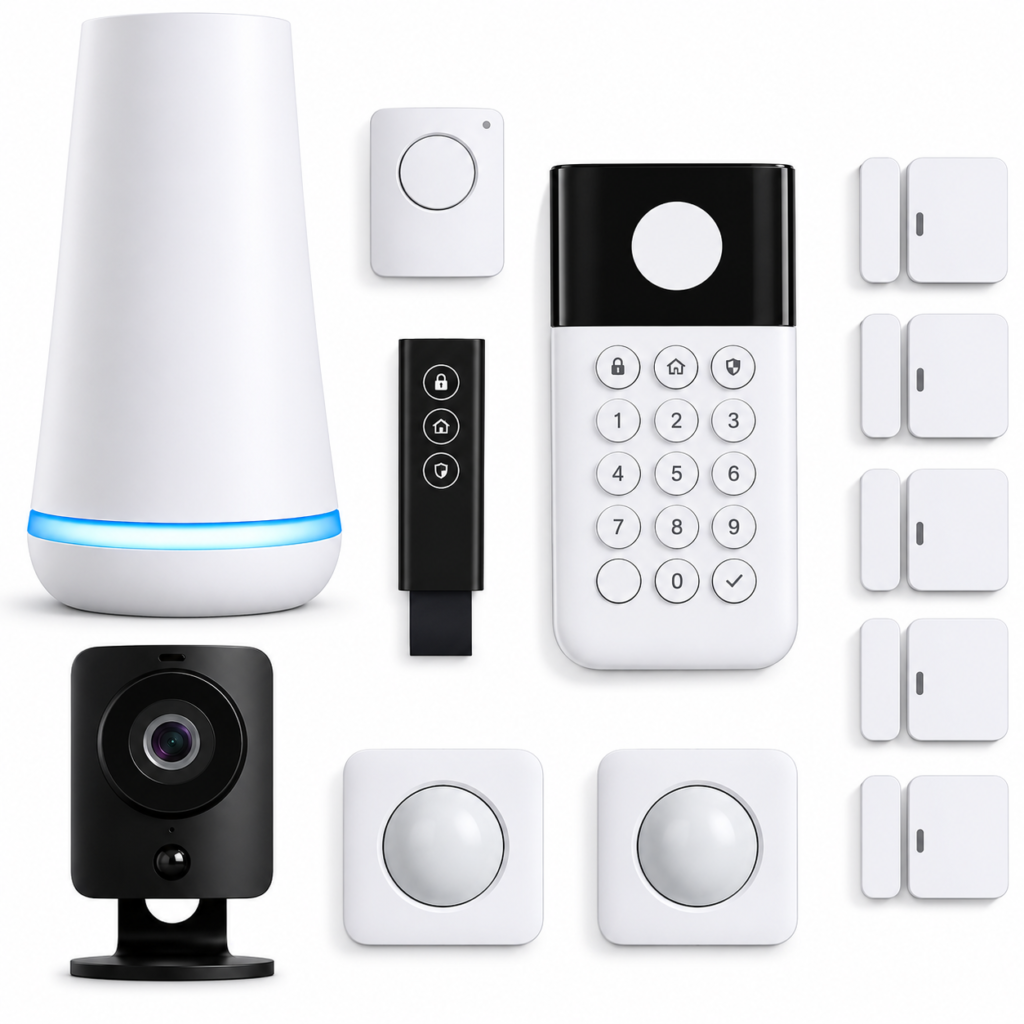
12-Piece Wireless Home Security System with HD Camer
A complete wireless home security kit designed to help monitor your home with connected sensors, motion detection, and an indoor HD camera.
Key Features:
- 12-piece wireless home security system
- Indoor HD camera with privacy shutter
- Motion detection up to 35 feet
- Entry sensors for doors and windows
- Remote control through the SimpliSafe app
- Compatible with Alexa and Google Assistant
- Optional 24/7 professional monitoring
- No long-term monitoring contracts.
(paid link)
As an Amazon Associate I earn from qualifying purchases.